Login troubleshooting
If you’re having trouble logging in to Oneleet, try following the steps below:
-
Close all Oneleet tabs and start in a fresh browser tab
First, close every browser tab that you currently have open for Oneleet across all windows. Then, open a single new browser tab and try logging in again.
Having multiple Oneleet login pages open at once can cause session mismatches and prevent a successful login.
-
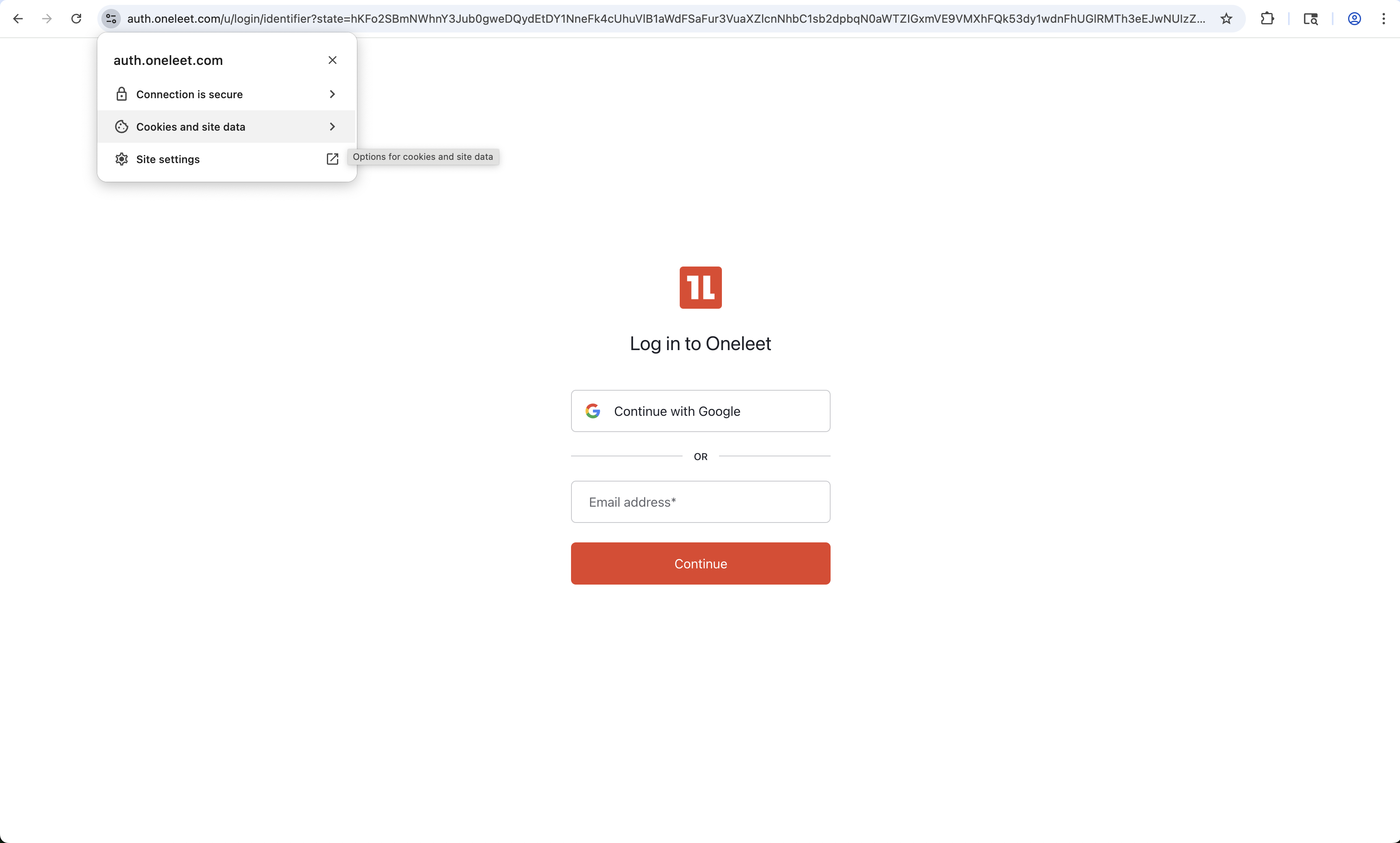
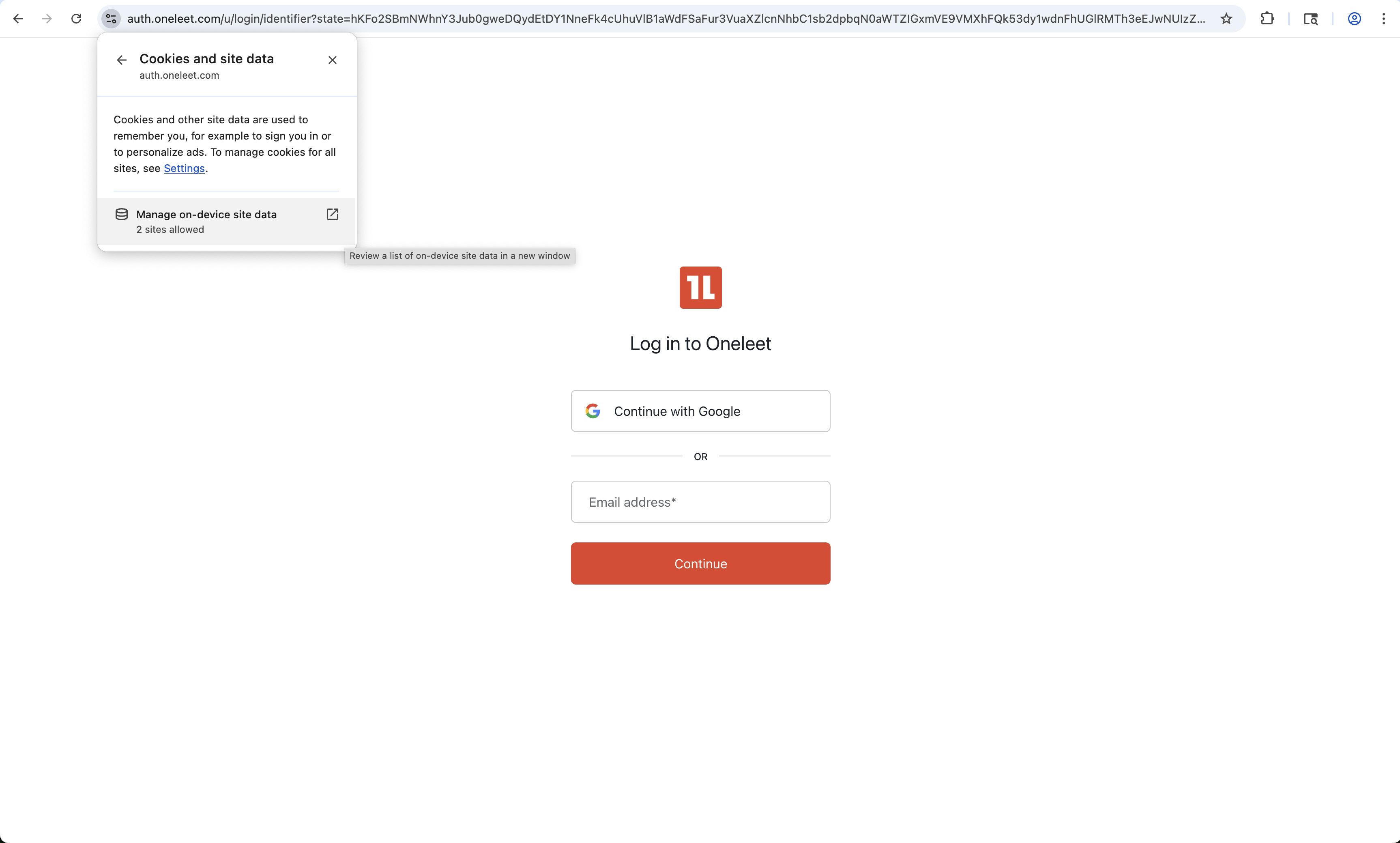
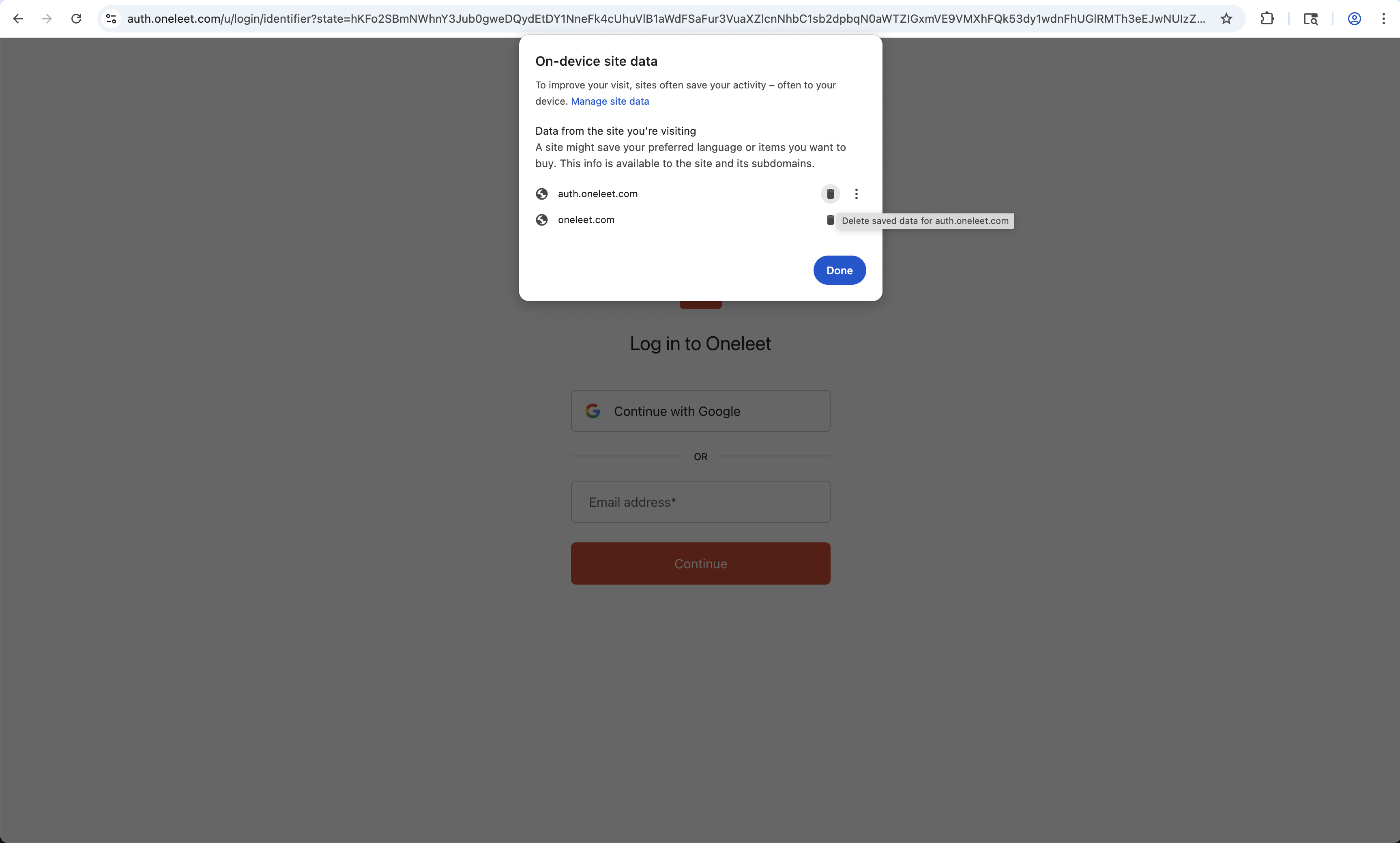
Clear your cookies and site data
Clear all Oneleet-related cookies and site data (including
auth.oneleet.comandoneleet.com), then try logging in again.Example: clearing cookies and site data in Chrome
-
Force a logout
- Open a new browser tab
- Visit
https://api.oneleet.com/api/v1/users/logout/app
• If you’re redirected to the login page, try logging in again
• If you see an Unauthorized message, move on to the next step
Visiting the above URL ends your current session and can sometimes resolve issues with stale sessions
-
Try an incognito window
Try logging in through an incognito/private browser window.
-
Try a different browser
Try logging in with another browser.
-
Issues with two-factor authentication
If you’re having issues with two-factor authentication codes not working:
-
Check if you’re using the right code
Double check that you’re using the right code for the email you’re trying to log in with, and not a code that you set up for a different email.
-
Make sure your device’s clock is properly synced
If you followed the normal setup flow for two-factor authentication and your codes are simply not working, confirm that your device clock is synced with the respective clock servers:
- Apple devices: Follow Apple’s time sync guide (see section “Set the date and time automatically”)
- Android devices: Follow Google’s time sync guide or Android’s date & time settings
- Windows devices: Follow Microsoft’s time zone guide and make sure it’s configured correctly
-
-
Get in touch
If none of the above works, reach out to us via your dedicated Slack channel with us or at [email protected] and share the details below so we can help resolve your issue more quickly:
- A screenshot of the error page you’re seeing
- The URL of the error page
- If you’re trying to log in with Google and your email recently changed because your company migrated to a new domain, please include both your previous and new email addresses