Scan Readiness
A full scan can take some time to run, so before running one, it helps to know whether it will run smoothly or if something in the setup needs attention first.
Scan readiness is a lightweight rehearsal of a full scan that runs in a few minutes and answers three questions:
- Can Oneleet Application Security reach your app?
- Can it log in (if you’ve configured authentication)?
- Can it crawl well enough to cover the application’s attack surface?
This guide explains what the readiness check does, how to read its results, and how to fix the problems it surfaces.
Readiness phases
Section titled “Readiness phases”The check runs in three phases: Reachability, Authentication, and Crawl. Each phase can come back clean (No issues), Skipped, or with one or more findings.
The results of the three phases roll up into one overall verdict:
| Verdict | Meaning |
|---|---|
| Ready to scan | Everything checks out. A full scan should run smoothly. |
| Ready, with warnings | Something may limit the scan coverage or quality. |
| Needs attention | A critical problem was found that may make a full scan ineffective. |

Note: Scan readiness checks are advisory and never block you from scanning. Addressing the findings first generally gives a scan better coverage and cleaner results, but you can start a full scan whenever you judge it’s the right call.
Phase details
Section titled “Phase details”Each phase lists the findings that led to its verdict.
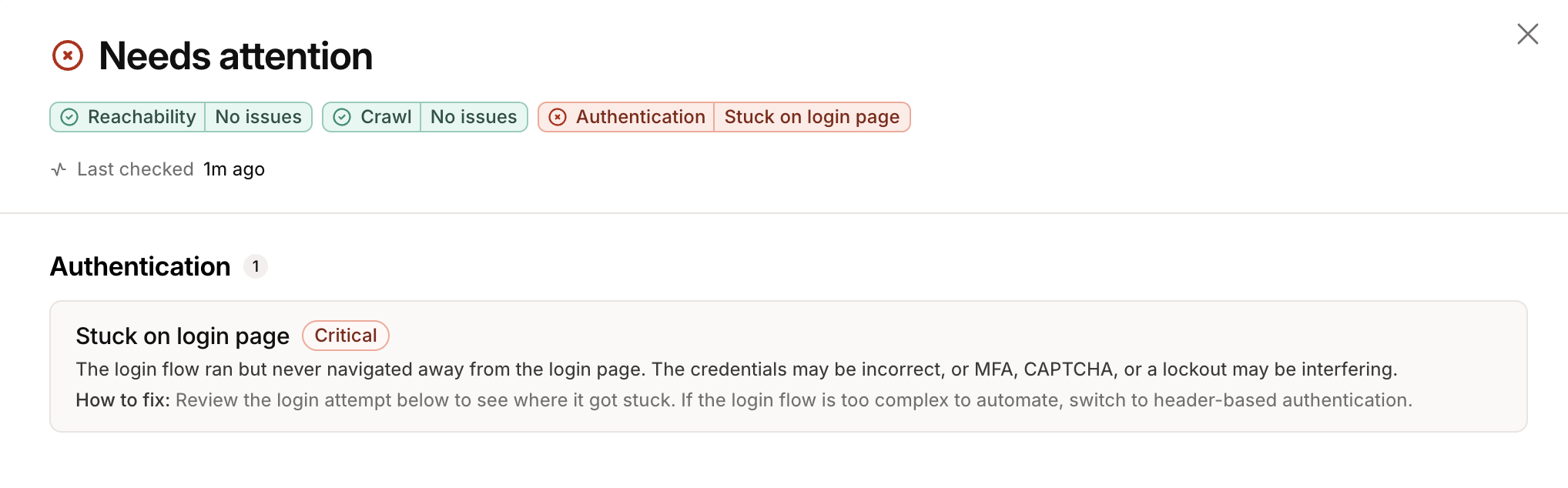
The lists below contain a few representative examples of the most common findings.
Reachability
Section titled “Reachability”- Host unreachable: no HTTP response came back from the target.
- Access blocked: the target responded, but a lot of responses were
401s, or403s.
Authentication
Section titled “Authentication”- No login fields: the login page was reached but no username or password field was found.
- Stuck on login page: the login was submitted but never navigated away from the login page, which strongly suggests the credentials were rejected.
- No pages crawled: the target was reached but nothing could be crawled.
- Thin coverage: only a handful of pages were discovered.
Many of the crawl and reachability fixes come down to scope configuration. See the Scope guide for more information.
Confirming login
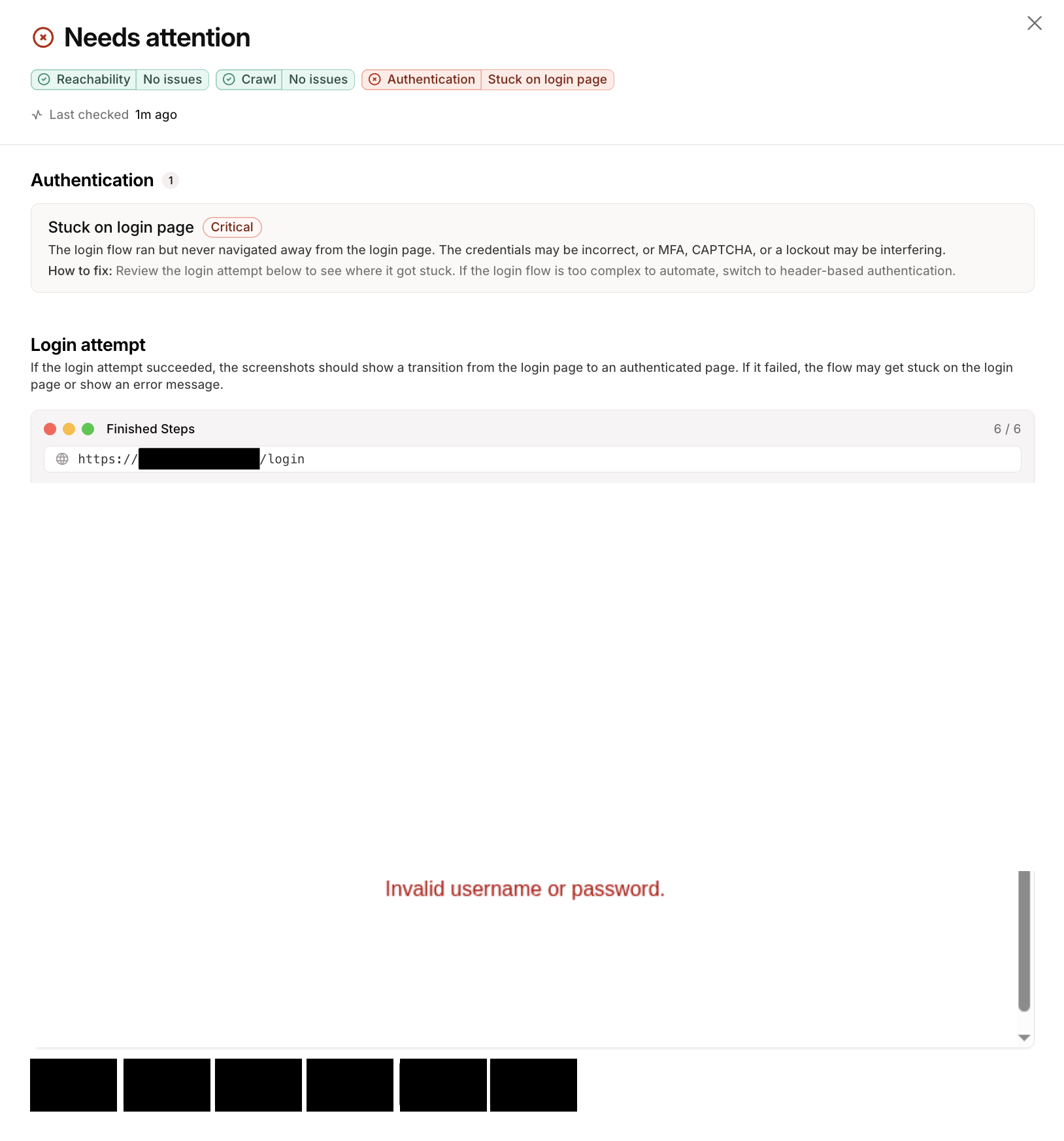
Section titled “Confirming login”When authentication is configured, the readiness check captures the login attempt as a series of actions and screenshots for you to confirm visually. A successful login usually ends on an authenticated page, such as a dashboard or account page, while a failure stays on the login page or shows an error like “invalid username or password.”
Re-running a check
Section titled “Re-running a check”Scan readiness checks are quick and non-intrusive, so re-run them freely while configuring a new target. After you change something (fix a URL, update credentials, adjust scope, etc), run the check again. Each application profile shows when the last check ran, so you can tell a fresh result from a stale one.