Activity log
Every device has an Activity tab that records each management action: who requested it, what was sent, and how it finished. Workspace admins can open it.
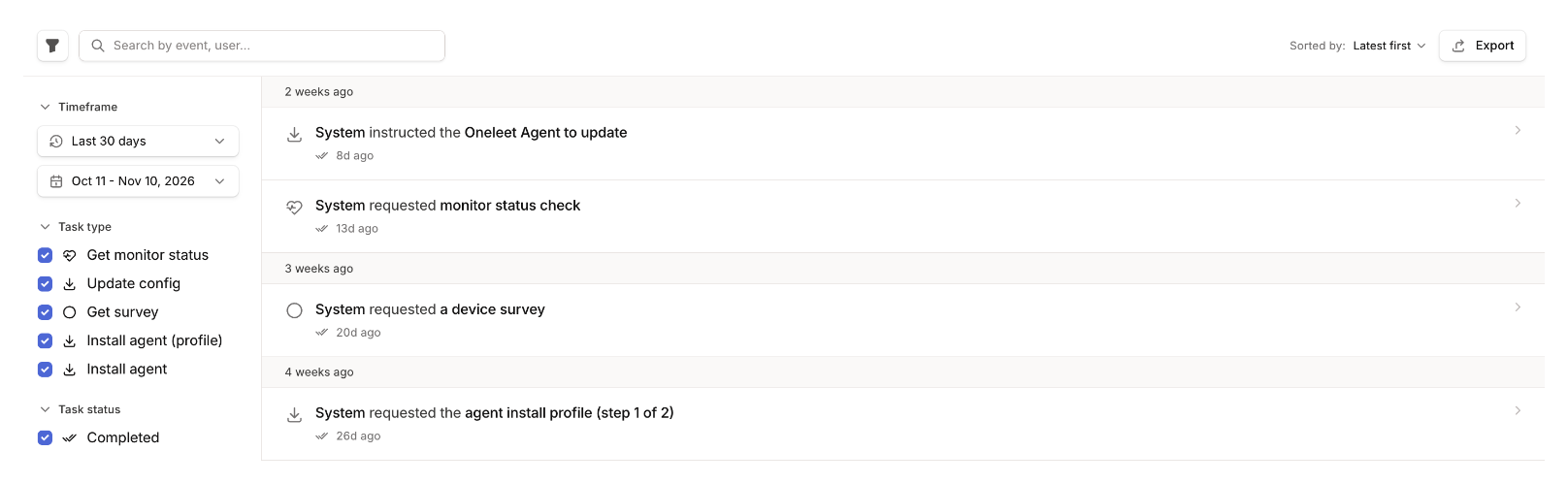
The log records remote actions, policy updates, settings the agent corrected, recovery keys being saved, and a Mac enrolling in or leaving Oneleet MDM. Entries never include a recovery key.
Command statuses
Section titled “Command statuses”| Status | What it means | What to do |
|---|---|---|
| Pending | The device hasn’t received the command, usually because it’s offline. | Wait. It’s delivered when the device reconnects. |
| Deferred by device | A Mac received the command and will try it later. | Wait. You don’t need to send it again. |
| Completed | The device confirmed the command. | |
| Failed | The device reported an error. | Open the entry to see the error. |
| Outdated | The command no longer applies, for example because the device left MDM or was excluded before it ran. | Open the entry to see why. Send it again if you still need it. |
| Cancelled | An admin cancelled the command. |
Cancel a queued command
Section titled “Cancel a queued command”Open a pending command on a Mac’s Activity tab and choose Cancel command. Only commands sent through Apple MDM can be cancelled. Commands sent through the Oneleet Agent, which includes every Windows and Linux command, can’t.
Cancelling can’t recall a command the Mac has already received.